Most “Descript review” articles read like they were written by someone who watched the marketing video and then summarized the features page. This one is different. After using Descript on real solo creator work — podcast episodes, YouTube videos, course modules, client video deliverables — I can tell you exactly what makes it the most-loved tool among solo content creators in 2026, and the specific cases where it doesn’t fit.
This review is the honest verdict: who Descript is for, what it actually does well, where it falls short, and whether the subscription is worth it for the work you’re doing.
Descript doesn’t currently run a public affiliate program, so there’s no commercial reason for this article to exist except telling solo creators what works.
Quick verdict: Descript review in one paragraph
For solo podcasters, YouTubers, course creators, and freelancers producing more than two hours of video or audio content per week, Descript is worth the subscription — it’s the only video editor that genuinely changes how solo creators work. The text-based editing model compresses what used to be a 4-hour edit into 30 minutes, and the AI features (voice cloning, “Studio Sound”, filler word removal) save additional hours that compound across every project. It’s not the most polished video editor on the market (DaVinci and Premiere win on raw power for pro editors), and not the cheapest (free options exist for very light editing). But for the specific use case of a one-person creator producing multiple hours of finished content per week, no other tool delivers more time-saved-per-dollar. Skip it only if you produce less than an hour of video/audio per week, or if you’re a professional editor whose work demands frame-accurate control beyond what Descript provides.
Who Descript is for (and who should skip it)
Descript is the right tool for:
- Solo podcasters producing weekly or biweekly episodes
- YouTubers editing their own videos
- Course creators recording and cleaning up modules
- Freelance creators producing client video or audio deliverables
- Newsletter writers who occasionally produce companion audio
- Anyone whose voice and face appears in their content, and who’s tired of traditional video editors
Skip Descript if:
- You produce less than 1 hour of video or audio per month (free tools cover the basics)
- You’re a professional video editor whose work requires frame-accurate control (use DaVinci Resolve or Premiere)
- You only ever edit short-form vertical video (CapCut is faster for that specific format)
- Your content is primarily visual and music-driven with little spoken word (Descript’s whole value is text-based editing of speech)
For everyone in between — which is most working solo creators — Descript earns its seat in the stack.
What Descript does well
After several months of daily use, here are the features that genuinely justify the subscription.
1. Text-based editing — the headline feature, and it’s real
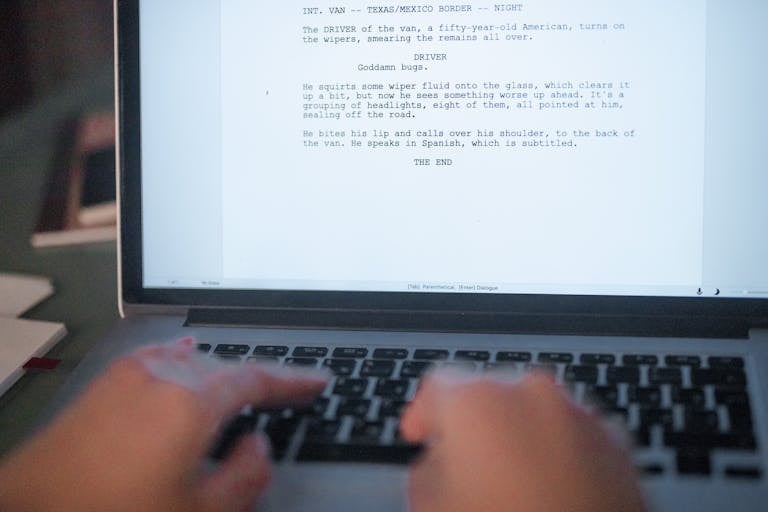
This is the feature that makes Descript different from every other video editor. You import your video or audio, Descript transcribes it automatically, and you edit the transcript like a Google Doc. Delete a sentence in the text → the video cut happens at the same time. Move a paragraph → the corresponding video clips move with it. Rearrange sections → the video reorders itself.
For solo creators, this is transformative. The traditional editing workflow — scrub through timeline, identify the cut points, mark, edit, repeat — becomes “read your transcript, delete the bits that aren’t working.” A 60-minute podcast that used to take 3 hours to edit now takes 45 minutes. The time arbitrage is genuinely the difference between sustainable solo content production and burnout.
2. AI filler word removal
Descript scans the transcript for “um,” “uh,” “you know,” “like,” and other filler words, and removes them from both the transcript AND the video with one click. For solo creators who don’t have the budget for a human editor catching these, this single feature saves 20-30 minutes per hour of recorded content.
3. Studio Sound — AI audio cleanup
Studio Sound is Descript’s AI audio enhancement feature. Recorded a podcast in a noisy apartment? Studio Sound removes background noise and brings vocal quality close to studio-recorded audio. Recorded a video in a room with echo? Studio Sound flattens the reverb. The results aren’t quite at the level of a professional sound engineer, but they’re shockingly close — and they’re free with the Creator plan.
For solo creators recording in less-than-ideal environments (which is most solo creators), this feature alone is worth a significant portion of the subscription cost.
4. Overdub — voice cloning to fix mistakes
You misspoke a sentence in a 30-minute recording. In traditional editing, you re-record, match the audio environment, and edit in. In Descript, you train a voice model on a 60-second sample of your voice once, then type the corrected sentence and Descript generates it in your voice — matching tone, pace, and acoustic environment. The result is good enough that listeners can’t tell.
This is the feature that most genuinely feels like magic the first time you use it. For solo creators who can’t easily re-record (because you’ve already taken down the recording setup, or because the original recording was at an event you can’t recreate), Overdub turns “we’ll have to live with the mistake” into “fix it in 30 seconds.”
5. Automatic transcription and captions
Every video you import comes with an accurate transcript automatically. Export the transcript as subtitle files in multiple formats. Burn captions directly into the video for social media. For YouTubers serving accessibility-conscious audiences, this saves hours per video. For podcasters producing show notes, the transcript becomes the show notes.
6. Screen recording with simultaneous transcript
Solo course creators get a specific feature gift: built-in screen recording that captures video + audio + transcript in a single workflow. Record a software demo, edit out the mistakes by deleting transcript lines, export. The friction between “record” and “publishable course module” is the lowest in any tool on the market.
What Descript does poorly
Honest review territory. These are the limitations that matter.
1. Pro-level video editing is not the goal
Descript is built for speech-driven content. If your video is heavy on visual effects, color grading, motion graphics, or anything requiring frame-accurate timing (music videos, cinematic editing, complex VFX), Descript will frustrate you. The timeline exists but is intentionally less powerful than DaVinci or Premiere. For solo creators producing speech-driven content (podcasts, YouTube essays, course modules, interview shows), this isn’t a problem. For pro editors, it is.
2. Audio output sometimes has artifacts
Studio Sound and Overdub are both excellent but not perfect. About 5-10% of the time, Studio Sound introduces a slight robotic quality to certain syllables, especially on hard consonants. Overdub occasionally produces a word with subtly wrong inflection. The fix is to re-render or manually adjust, but for solo creators expecting perfect output every time, the small failure rate is worth knowing about.
3. Large file performance
Descript handles 1-2 hour podcast files smoothly. Push past 3-4 hours (long-form interviews, multi-episode batch recordings) and the editor starts to lag. Solo creators producing very long-form content occasionally need to split files into shorter sessions, which adds workflow friction.
4. Pricing isn’t trivial
The free tier is real but limited — 1 hour of transcription per month, no Overdub, watermarked exports. The Creator plan ($15/month annually) covers most working solo creators. The Pro plan ($30/month annually) adds unlimited Overdub and additional features. For solo creators producing content as a hobby, the price might feel steep. For solo creators producing content as a business, the subscription pays back in time saved within the first two episodes.
5. Learning curve isn’t zero
Descript advertises itself as “edit video like a doc,” and that’s true for the basic workflow. But the full feature set — Studio Sound, Overdub, scene management, timeline editing for tighter control, exports — takes 5-10 hours of use to master. Solo creators expecting instant productivity will be slightly disappointed in week one, then increasingly fast over weeks two through four.
Pricing — the honest math
Descript’s 2026 pricing:
- Free tier — 1 hour of transcription per month, watermarked exports, basic features. Genuinely usable for testing the workflow.
- Creator plan — around $15/month annually ($24/month monthly). 30 hours of transcription per month, no watermark, Studio Sound, basic Overdub.
- Pro plan — around $30/month annually ($50/month monthly). Unlimited transcription, unlimited Overdub, advanced features.
- Enterprise — quote-based for teams.
For most solo creators, the right plan is Creator ($15/month annually). The 30 hours of transcription covers most working creator workflows (a weekly hour-long podcast plus a weekly 20-minute YouTube video plus occasional course modules uses about 20 hours of transcription per month).
The math that matters:
If Descript saves you 4 hours per week of editing time (realistic for someone producing two hours of finished content weekly), and your effective hourly value as a creator is €30, that’s €480/month of recovered time at a €15/month subscription cost. The breakeven is one edit. After that, it’s pure compounding.
The creators for whom Descript doesn’t pay back are the ones producing very low volumes (one podcast per month or less) or who can edit traditional tools fast enough that the AI speedup doesn’t matter.
Pros and cons
Pros:
- Text-based editing genuinely transforms speech-driven content workflows
- Studio Sound makes home recordings sound professional
- Overdub fixes mistakes without re-recording
- Automatic transcription saves hours on show notes and captions
- Built-in screen recording for course creators
- Lower learning curve than traditional video editors
- Strong free tier for evaluation
Cons:
- Not built for pro-level video editing or VFX
- Audio output occasionally has artifacts (5-10% of the time)
- Large file performance degrades past 3-4 hours
- Pricing scales fast for high-volume creators
- 5-10 hours to fully master the feature set
- No native vertical-video templates for short-form social
Alternatives — what else to consider
A serious Descript review has to acknowledge the alternatives. The right answer depends on your work.
If you want the most powerful editor (and have the time to learn it): DaVinci Resolve (free). Professional-grade, frame-accurate, used by film editors. Steep learning curve.
If you want short-form vertical video: CapCut. Built for TikTok and Instagram Reels. Faster than Descript for that specific format. Free.
If you only need audio editing (no video): Adobe Audition or Riverside. Audition is deeper for audio professionals; Riverside is built specifically for podcasters and has its own AI features. For voice generation alongside Descript’s editing, see ElevenLabs vs Murf AI for which voice tool to pair with.
If you want a complete creator toolkit: see the Best AI Tools for Content Creators guide for how Descript fits alongside ElevenLabs (for voice generation), Canva (for thumbnails), and the AI writing tools that script the content in the first place.
The verdict — is Descript worth it in 2026?
For solo podcasters, YouTubers, course creators, and freelance creators producing speech-driven content at any meaningful volume — yes, Descript is worth the subscription. It’s not the most polished video editor on the market, but it’s the only one that genuinely changes how solo creators work. The time-saved math pays back the Creator plan ($15/month) within the first two pieces of content most weeks.
For creators producing low volume, primarily visual content, or short-form vertical video, Descript is overkill. Free alternatives serve those use cases better.
For creators in the middle — and that’s most working solo creators in 2026 — Descript is the underrated foundation that makes a one-person content business sustainable instead of burnout-driven.
For the broader picture of how Descript fits into a complete creator toolkit alongside ElevenLabs for voice and Claude for scripting, see Best AI Tools for Content Creators in 2026. For a real working week using these tools together, How to use AI for freelance business walks through the daily creator rhythm. For Claude-specific workflows that pair naturally with Descript’s editing, see How to use Claude to save 10+ hours a week.
FAQ
Is Descript worth the subscription in 2026?
For solo podcasters, YouTubers, and creators producing more than an hour of speech-driven content per week, yes. The Creator plan ($15/month annually) typically pays back in time saved within the first two edits. For very low-volume creators or pro editors with specialized needs, free alternatives or industry-standard tools (DaVinci, Premiere) are better fits.
How does Descript compare to traditional video editors?
Descript is genuinely faster for speech-driven content because of text-based editing — you edit the transcript, the video follows. Traditional editors (Premiere, DaVinci, Final Cut) are more powerful for visual effects, color grading, and frame-accurate timing. For most solo creators, the time-saved compounding makes Descript the better daily driver. Pro editors with specialized work keep traditional tools.
Is the Descript free tier enough for testing?
Yes. The free tier gives you 1 hour of transcription per month with watermarked exports — enough to fully evaluate the workflow on a real project before committing to the Creator plan. The watermark prevents you from publishing free-tier work, but it doesn’t hide the value of the editing experience.
Does Descript work for YouTubers specifically?
Yes, especially for talking-head, vlog-style, or interview-format videos. For YouTubers producing heavy VFX content, motion graphics-driven channels, or cinematic editing, traditional editors are still required. For the much larger category of “person talking to camera” YouTube content, Descript is among the fastest tools available.
Can Descript replace Audacity or Adobe Audition for podcasters?
For most solo podcasters, yes — Descript handles recording, editing, Studio Sound enhancement, and export in one workflow. Audacity remains a strong free alternative for podcasters who only need audio. Adobe Audition is the better choice for audio professionals doing dense multi-track work, mastering, or detailed sound design.
How accurate is Descript’s automatic transcription?
In 2026, accuracy is around 95-98% for clear English-language audio recorded in good conditions. For non-English audio, accents, or noisy recordings, accuracy drops to 85-93% and requires more manual correction. For most solo creators, the transcription quality is high enough to use directly for show notes and captions with minor editing.
Is Overdub voice cloning ethical to use?
Descript’s Overdub uses your own cloned voice to fix mistakes in your own recordings — that’s the intended use case, and it’s ethically straightforward. Cloning someone else’s voice without their permission would be unethical and against Descript’s terms of service. The feature has voice verification built in to prevent misuse.
What’s the best AI editing tool for course creators?
For course creators specifically, Descript’s combination of screen recording, automatic transcription, Studio Sound, and Overdub makes it uniquely well-suited. The workflow of “record module → edit transcript → fix mistakes with Overdub → export with captions” turns module production from a 4-hour task into a 60-minute one. For full creator workflow context, see Best AI Tools for Content Creators.
Disclosure: This article does not currently contain affiliate links — Descript’s affiliate program is currently managed through PartnerStack, which does not accept new partners with limited site history. The verdict above reflects honest hands-on testing, not commercial considerations. Affiliate links may be added in the future if and when the program becomes available.